
A home office is no longer a luxury or a temporary setup—it has become a core part of how people work, study, and manage daily life. But here’s the problem: most home offices are created in a rushed, unplanned way. A desk is placed in a corner, a chair is added, maybe a lamp, and the space is called “done.” It functions, but it doesn’t work well. And over time, that lack of planning starts affecting focus, productivity, and even motivation.
The reality is simple: your environment controls your output more than your effort does. You can be disciplined, skilled, and motivated, but if your workspace is uncomfortable, cluttered, or visually distracting, your brain will constantly resist deep focus. You’ll feel tired faster, switch tasks more often, and struggle to stay consistent. Most people blame themselves for this, but the real issue is the setup.
A well-designed home office is not just about aesthetics. It’s about how the space supports your thinking. Lighting affects your energy levels. Layout affects your movement. Storage affects your mental clarity. Even small details like wall color or desk position can change how long you stay focused without feeling drained. If your office feels cramped or visually noisy, your brain stays in “alert mode” instead of “work mode.”
This becomes even more important in 2026, where remote work, freelancing, online business, and digital learning are more common than ever. People are spending hours every day in the same space, often without realizing how much that environment is shaping their performance. A poorly designed setup might still “work,” but it quietly reduces efficiency over time. You might complete tasks, but at a higher mental cost than necessary.
Another major issue is space limitation. Not everyone has a dedicated room for an office. Many people are working from bedrooms, shared living areas, or small corners. This creates a challenge: how do you build a focused workspace without disturbing the rest of your home environment? The answer is not more furniture—it’s smarter design. The way you position your desk, separate your work zone, and control distractions matters far more than square footage.
If you have a small room or shared space, this becomes even more critical. A poorly placed desk facing distractions like doors, windows, or high-traffic areas will constantly pull your attention away. On the other hand, a simple adjustment in orientation can dramatically improve focus without changing anything else. This is why layout matters more than decoration.
Storage is another overlooked factor. A cluttered desk creates mental clutter. When papers, chargers, cables, and random items are scattered around, your brain constantly processes visual noise in the background. Even if you don’t consciously notice it, it reduces clarity and increases stress. A proper home office setup hides unnecessary items and keeps only what supports your workflow visible.
Lighting also plays a bigger role than most people realize. Poor lighting leads to fatigue, eye strain, and lower productivity. Natural light improves mood and energy, while balanced artificial lighting ensures consistency during long working hours. Yet many home offices ignore this completely, relying on a single bulb or dim corner lighting that slowly drains focus throughout the day.
This guide focuses on something most articles miss: real-world functionality. Not just “beautiful office ideas,” but setups that actually improve how you work every day. Each idea is designed to help you create a space that reduces distractions, supports focus, and adapts to your lifestyle—whether you’re working full-time, studying, freelancing, or managing a side business.
Because a home office is not just a place where you sit. It is a system that either supports your productivity or silently works against it. And once you understand how to design it properly, even a small corner can become a highly effective workspace that feels intentional, organized, and easy to use every single day.
1. Minimal Desk Wall Setup (Focus-First Layout)
Explanation (What it is)
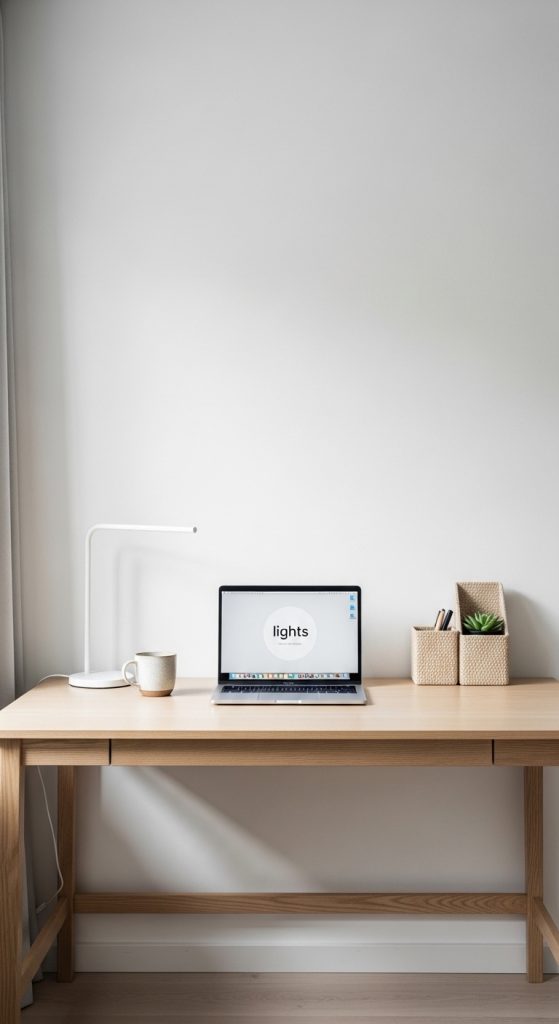
The minimal desk wall setup is built around one principle: remove everything that doesn’t directly support focus. It’s a clean, distraction-free workspace where the desk is placed against a simple wall with only essential items in view. There are no unnecessary shelves, cluttered decorations, or overloaded storage units.
This setup works because it reduces visual noise. When your eyes are not constantly scanning objects, your brain naturally settles into deeper concentration. It’s especially effective for work that requires thinking, writing, studying, or long computer sessions.
The strength of this layout is discipline through simplicity. Instead of trying to “add productivity,” you remove distractions that quietly drain it.
How to implement (Practical steps)
Start with a simple desk—preferably a straight rectangular table with enough space for your laptop and one extra item like a notebook or second monitor.
Place the desk directly against a clean wall. Avoid positioning it near busy areas like doors, windows with heavy movement, or TV zones.
Keep the surface extremely minimal:
- Laptop or monitor
- One writing tool holder
- Small lamp (optional)
Add one slim floating shelf above the desk only if necessary for essentials like a notebook or small organizer.
Use cable management solutions to hide wires completely. Visible cables instantly increase visual clutter and reduce focus.
If you have a small room, this setup is ideal because it keeps the workspace tight and controlled without expanding into the room unnecessarily.
Best for
- Students and writers
- Freelancers needing deep focus
- Small bedrooms or compact rooms
Pro tip
Keep the wall behind your desk completely clean or use a single calm element (like a plain frame or soft color). Over-decorating defeats the purpose.
Mistake to avoid
Do not add multiple shelves “for storage.” It turns a minimal setup into a distraction zone very quickly.
2. Window-Facing Natural Light Office (Energy Boost Layout)
Explanation (What it is)
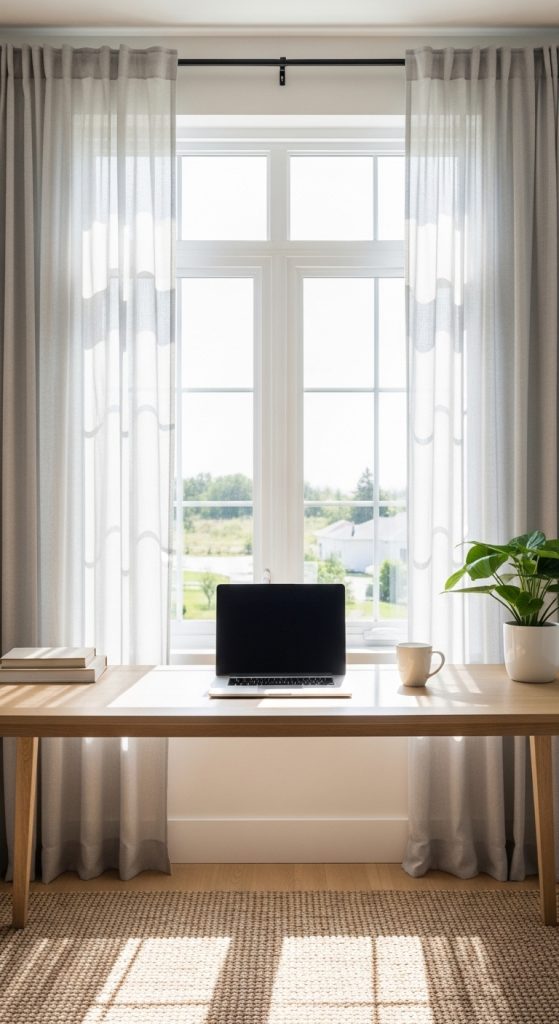
This setup is designed around natural light as the primary productivity tool. The desk is positioned near or facing a window so that daylight becomes part of your working environment. Instead of relying heavily on artificial lighting, you use sunlight to improve energy, mood, and focus throughout the day.
Natural light has a strong psychological effect—it keeps you more alert and reduces fatigue during long working hours. But the placement must be controlled. If done wrong, glare and distraction from outside movement can reduce focus instead of improving it.
The goal is balance: light without distraction.
How to implement (Practical steps)
Place your desk perpendicular or slightly angled to the window. Directly facing the window can cause screen glare, so angle matters.
Use light curtains or blinds to control brightness during peak sunlight hours.
Keep the window area visually simple. Avoid placing too many decorative items that draw attention outward.
On the desk:
- Position your monitor away from direct reflection
- Use matte screen settings if possible
- Add a small desk lamp for evening work balance
If you have a small room, this setup can make the space feel larger and more open because natural light expands visual perception.
Best for
- Creative work (design, writing, content creation)
- Long working hours at home
- People who feel low energy in closed spaces
Pro tip
Morning sunlight is the most powerful for focus. If possible, align your work schedule with peak natural light hours for better productivity.
Mistake to avoid
Do not place the desk directly facing strong sunlight without control. It causes glare, eye strain, and constant screen adjustments.
3. Corner Productivity Zone (Space-Saving Focus Setup)
Explanation (What it is)
The corner productivity zone turns an unused or awkward corner into a fully functional workspace. Instead of spreading your office across a wall, you “contain” it in a corner to create psychological separation from the rest of the room.
This setup is extremely useful for small homes where space is limited. Corners are often ignored, but when designed properly, they naturally create a sense of enclosure that improves focus. It feels like a dedicated “work pocket” even if the room is shared.
The biggest advantage is separation without walls. Your brain starts recognizing that corner as “work mode” only.

How to implement (Practical steps)
Choose a corner that is away from high-traffic movement like doors or walking paths.
Use an L-shaped desk or a compact rectangular desk positioned tightly into the corner. This helps maximize surface area without wasting space.
Install vertical storage above the desk:
- Floating shelves
- Slim wall organizers
- Pegboards for tools or accessories
Keep the lower area clear to avoid feeling cramped.
Use soft lighting in the corner to define it as a separate zone from the rest of the room. A desk lamp or warm LED strip works well.
If you have a small room, avoid bulky chairs or oversized furniture. Compact, ergonomic pieces work best in corner setups.
Best for
- Small bedrooms or shared spaces
- Students and remote workers
- People needing a defined work boundary
Pro tip
Add a small rug under the desk area. It visually separates the workspace from the rest of the room without adding physical barriers.
Mistake to avoid
Do not overcrowd the corner with storage on all sides. Corners need breathing space to feel functional, not trapped.
4. Dual-Monitor Productivity Setup (Efficiency Workflow Layout)
Explanation (What it is)
A dual-monitor productivity setup is designed for people who need to handle multiple tasks at the same time without constantly switching tabs or losing focus. Instead of working on a single screen, you extend your workspace across two monitors, creating a more structured and efficient workflow.
This setup is not about “tech luxury”—it’s about reducing friction. Every time you switch windows, your brain loses a bit of focus. Over time, this creates mental fatigue. Dual monitors solve that by keeping related tasks visible at the same time.
For example, one screen can hold research or reference material, while the other is used for writing, designing, coding, or meetings.
How to implement (Practical steps)
Start with a stable desk that can support two monitors without shaking or clutter.
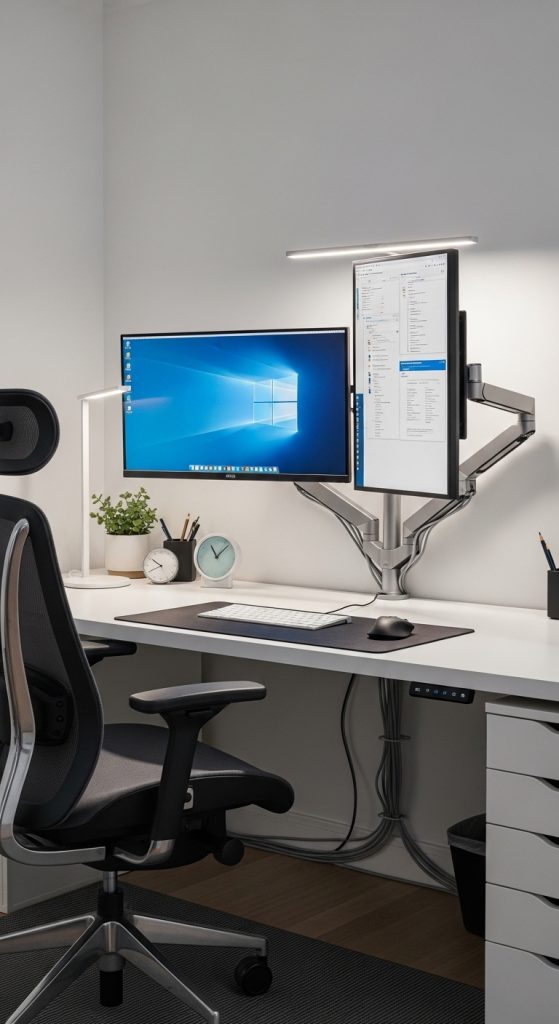
Place your main monitor directly in front of you and the secondary monitor slightly angled to one side. Avoid placing both screens too far apart, or your neck and eye movement will become uncomfortable.
Keep cable management tight. Use clips or cable trays under the desk so wires don’t distract your visual space.
On the desk:
- Keep only essential items (keyboard, mouse, notepad)
- Avoid stacking unnecessary accessories between monitors
- Maintain equal height alignment for both screens
If you have a small room, consider vertical stacking (one monitor above the other) to save horizontal space.
Best for
- Designers, developers, and content creators
- Multitasking-heavy work
- Users handling research + execution tasks
Pro tip
Use one screen for “input work” and the other for “reference work.” This prevents mental switching overload and increases speed.
Mistake to avoid
Do not place monitors at uneven heights or angles. Poor alignment causes neck strain and reduces long-term comfort.
5. Hidden Storage Home Office (Clutter-Free System)
Explanation (What it is)
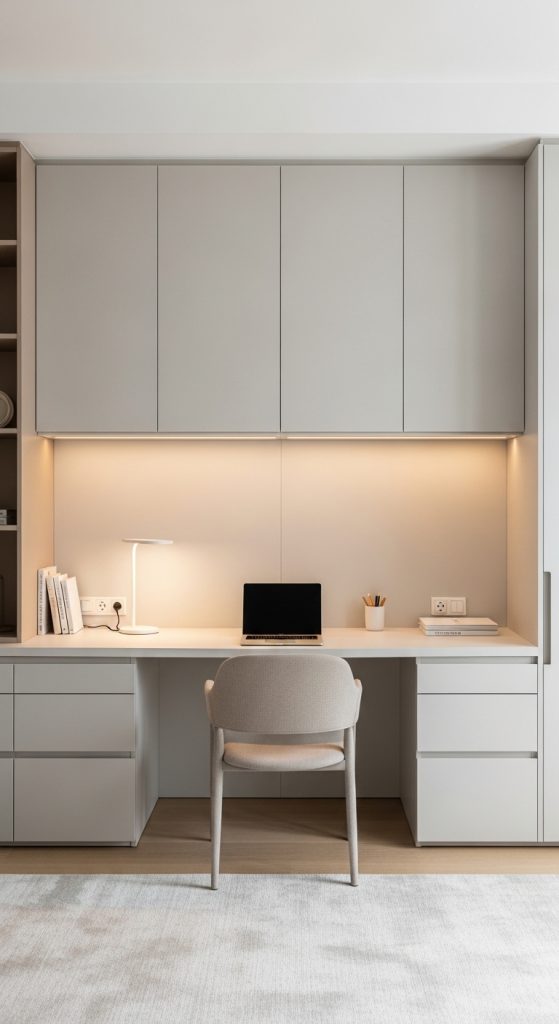
The hidden storage home office focuses on one major problem: visual clutter. Most workspaces fail not because of lack of space, but because of visible mess—papers, chargers, files, and random objects scattered everywhere.
This setup solves that by hiding storage inside cabinets, drawers, and closed systems so the workspace always looks clean, even during busy workdays.
The goal is not to remove items—it’s to remove visual distraction.
How to implement (Practical steps)
Use a desk with built-in drawers or pair your desk with a storage cabinet placed nearby.
Keep all non-essential items hidden:
- Documents inside folders or drawers
- Cables in cable boxes or trays
- Stationery in closed organizers
Use closed cabinets instead of open shelves whenever possible. Open storage looks good in photos but quickly becomes messy in real use.
Place only daily-use items on the desk surface.
If you have a small room, vertical cabinets are better than wide ones because they use height instead of floor space.
Best for
- People who get distracted easily
- Small rooms or shared spaces
- Professionals needing a clean visual environment
Pro tip
Adopt a “clear desk reset” habit at the end of each day. Hidden storage only works when it’s consistently maintained.
Mistake to avoid
Do not mix open and hidden storage randomly. It creates partial clutter that still distracts the eye.
6. Bookshelf Divider Office (Space Separation Layout)
Explanation (What it is)
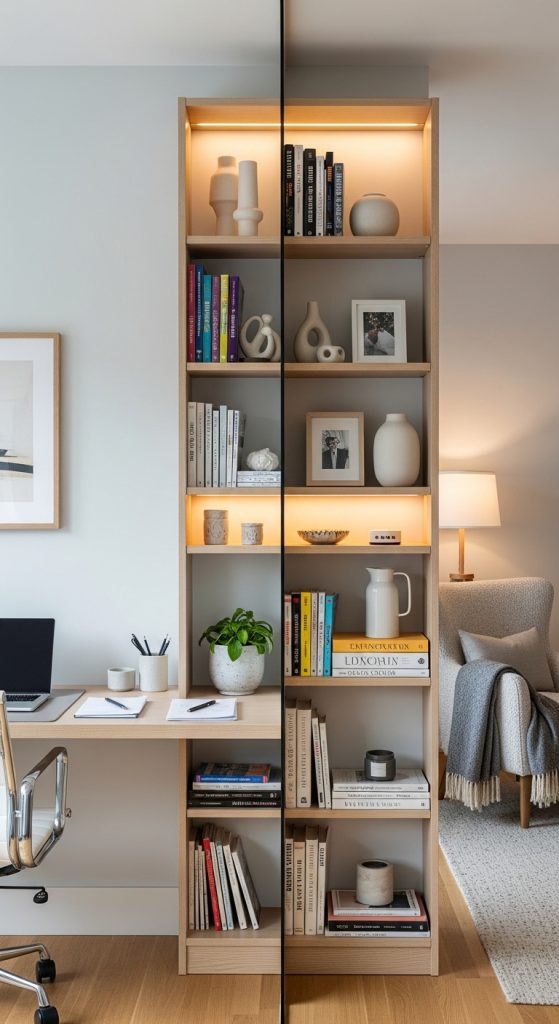
A bookshelf divider office uses a bookshelf or storage unit to separate your workspace from the rest of the room without building actual walls. It creates a visual and psychological boundary that helps your brain switch into “work mode.”
This is especially useful in shared bedrooms, studio apartments, or open-plan homes where you don’t have a dedicated office room.
The bookshelf acts as both storage and a soft partition, making the workspace feel more private and structured.
How to implement (Practical steps)
Place a tall bookshelf or open shelving unit behind or beside your desk to create separation from the rest of the room.
Choose a shelf design that allows light to pass through (open-back or partially open shelves work best). This prevents the space from feeling blocked or heavy.
Use shelves for functional storage:
- Books and files
- Office supplies
- Decorative but minimal items
Keep the desk side clean and focused, while storage stays behind the divider.
If you have a small room, avoid solid bulky shelves that completely block light.
Best for
- Shared rooms or apartments
- Small home offices without walls
- People needing mental separation between work and rest areas
Pro tip
Keep the top shelves visually light and the bottom shelves more functional. This keeps the divider balanced instead of overwhelming.
Mistake to avoid
Do not overfill the bookshelf. If it becomes visually cluttered, it defeats the purpose of creating a calm workspace boundary.
7. Floating Desk Wall System (Ultra-Clean Modern Setup)
Explanation (What it is)
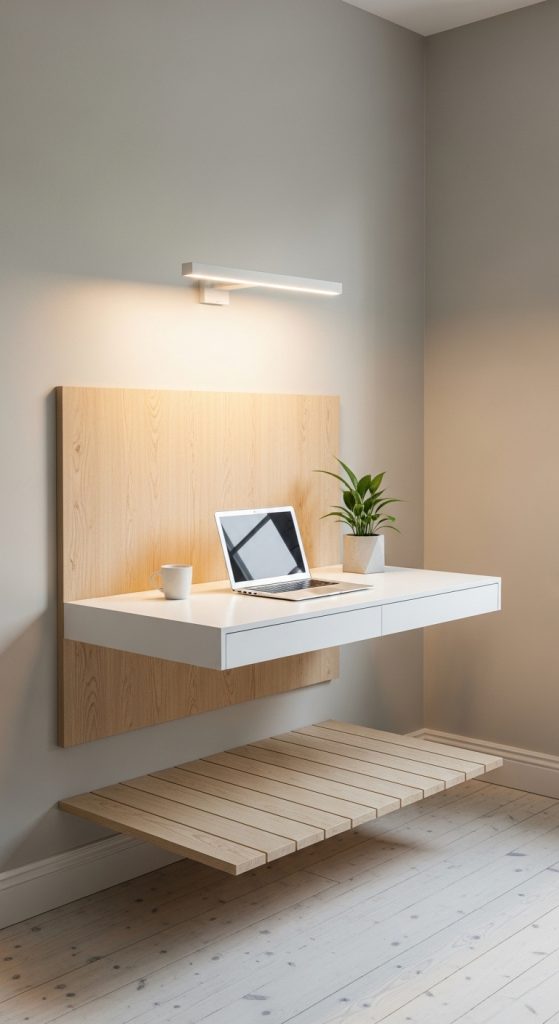
A floating desk wall system removes bulky desk legs and replaces them with a wall-mounted surface. This creates a clean, modern workspace that feels lighter, more open, and less visually heavy than traditional desks.
The real advantage of this setup is psychological. When the floor area under your desk is open, the room instantly feels larger and less crowded. It also reduces visual clutter, which helps improve focus and mental clarity.
This layout is especially powerful in small rooms where every inch matters. It gives you a functional workspace without consuming visual space.
How to implement (Practical steps)
Mount a sturdy desk surface directly into the wall using strong brackets. Make sure the wall is load-bearing or properly reinforced.
Choose a simple rectangular surface—avoid overly thick or decorative edges because they add unnecessary visual weight.
Keep the setup minimal:
- Laptop or monitor
- Keyboard and mouse
- One small organizer
Install a slim floating shelf above the desk for essentials like notebooks or small storage boxes.
Use hidden cable management channels to keep wires completely out of sight.
If you have a small room, pair this setup with light-colored walls to enhance the open floating effect.
Best for
- Small bedrooms or compact rooms
- Minimalist workspace lovers
- People who want a clean, distraction-free environment
Pro tip
Match the desk color with the wall tone. This creates a seamless floating illusion that makes the space look more expensive.
Mistake to avoid
Do not overload the floating desk with heavy items or multiple monitors without proper wall support. Stability always comes first.
8. Window Nook Workstation (Comfort + Focus Hybrid)
Explanation (What it is)
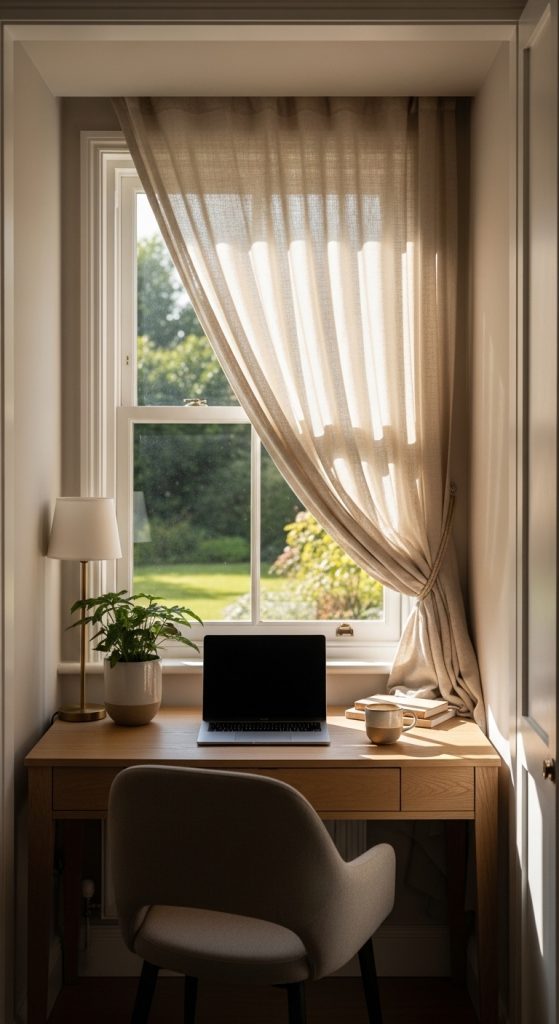
A window nook workstation turns the space near or inside a window recess into a focused work area. It combines natural light, outside view, and a compact desk setup to create a balanced environment that feels both calming and productive.
Unlike standard window-facing setups, this design uses the window area as a defined workspace “nook,” making it feel intentional rather than temporary.
The benefit is emotional balance. Natural light improves mood, while a defined nook creates mental structure for work.
How to implement (Practical steps)
Place a compact desk directly inside or aligned with a window recess.
Position the desk so that light enters from the side instead of directly facing your screen. This reduces glare while still giving natural brightness.
Use light curtains or blinds to control sunlight intensity throughout the day.
Keep the setup minimal:
- Small desk surface
- Ergonomic chair
- One or two essential accessories
Avoid placing large storage units near the window, as they can block light flow.
If you have a small room, this layout can make the space feel more open and breathable.
Best for
- Writers, students, and creative professionals
- Small rooms with natural light access
- People who prefer calm, low-stress work environments
Pro tip
Use warm lighting in the evening to maintain the same cozy atmosphere when natural light disappears.
Mistake to avoid
Do not place your monitor directly facing the window. Constant brightness changes will strain your eyes and reduce focus.
9. Standing Desk Flex Workspace (Movement-Based Productivity Setup)
Explanation (What it is)
A standing desk flex workspace introduces movement into your home office routine by allowing you to switch between sitting and standing positions. This setup is designed to reduce fatigue, improve posture, and increase energy levels during long working hours.
The key idea is flexibility. Instead of staying in one position for hours, you adjust your posture throughout the day, which keeps both your body and mind more active.
This setup is especially useful for people who feel tired or sluggish after long sitting sessions.

How to implement (Practical steps)
Use an adjustable standing desk or a desk converter that allows height changes.
Set the desk height so that your elbows are at a comfortable 90-degree angle when typing.
Alternate between sitting and standing every 30–60 minutes to maintain energy balance.
Keep the workspace minimal:
- Monitor at eye level
- Keyboard and mouse centered
- Anti-fatigue mat for standing comfort
If you have a small room, choose a compact standing desk model that doesn’t take up excessive floor space.
Best for
- Remote workers with long hours
- People with posture or back discomfort
- Productivity-focused professionals
Pro tip
Start with short standing intervals and gradually increase time. Sudden long standing periods can cause discomfort if your body isn’t used to it.
Mistake to avoid
Do not use an improperly adjusted desk height. Poor ergonomics can cause more strain than a traditional setup.